
A place to begin
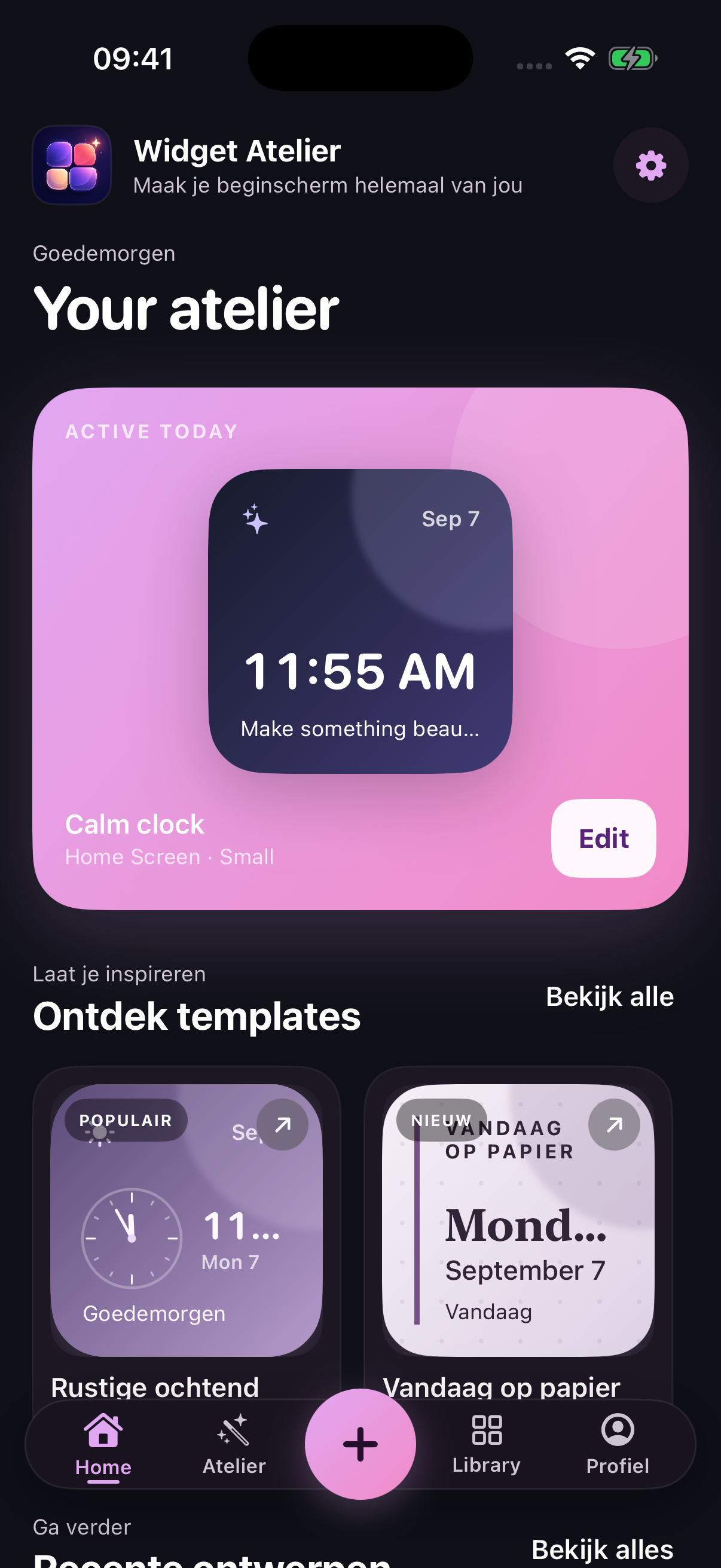
Browse templates or return to a recent design. Keep your creative work together.
Personalisation / Widgets
Create expressive iPhone widgets. Start with a template, explore the details, and make the screen you see every day feel like yours.
 From a first idea to your own signature.
Inside Widget Atelier
From a first idea to the finishing touches, a creative workspace for widgets that feel personal.
Widget Atelier · In focus
Scroll to explore01 / Find your starting pointYour widgets, templates and recent designs, together in one workspace.
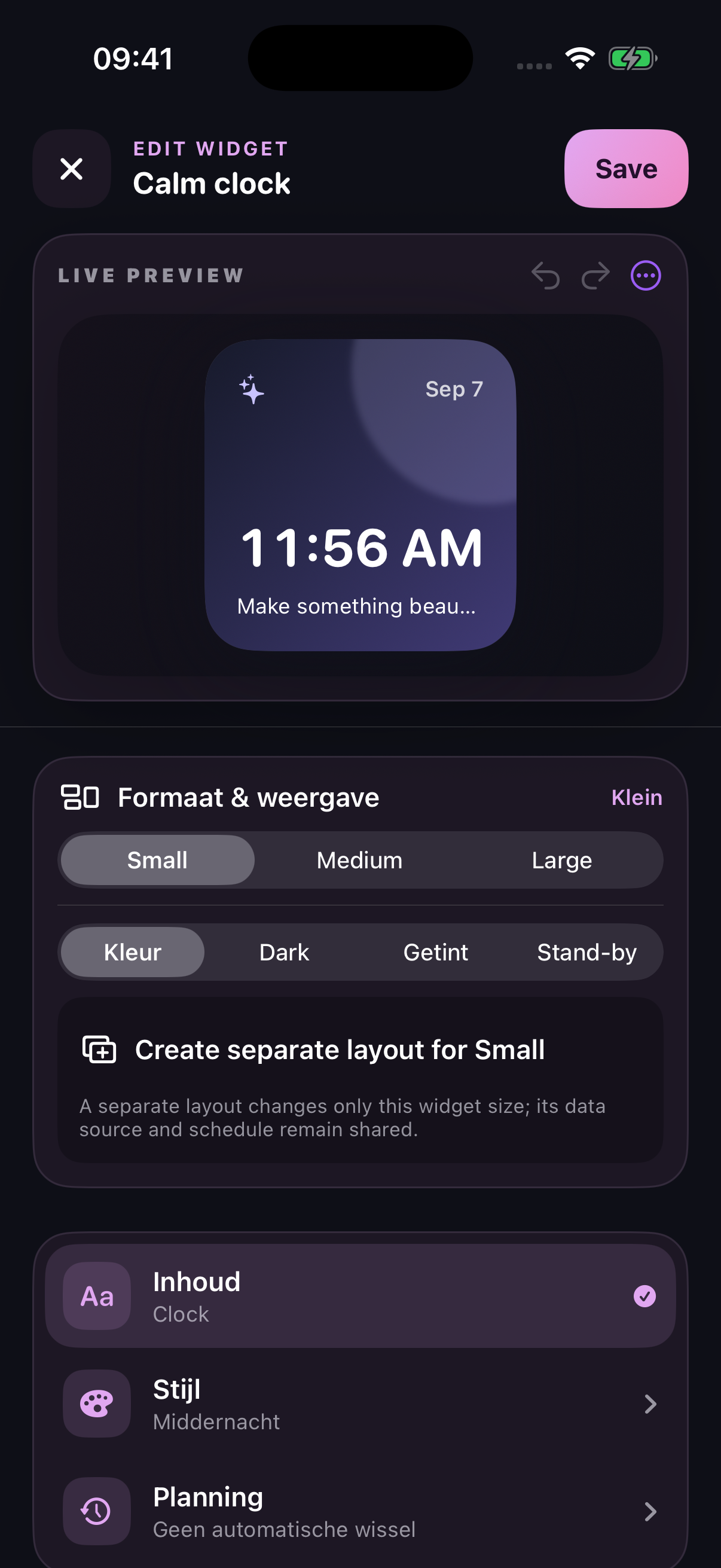
02 / Make it your ownExplore size, colour and style with a live preview of your widget.
A look at the app in development. Screens and features may change before release.
The details of Widget Atelier
Browse templates or return to a recent design. Keep your creative work together.
Adjust the content, colours and visual style while you preview your changes.
Explore small, medium and large widgets, with separate layouts for different sizes.
Widget Atelier is not yet on the App Store. We’ll share a download link here when it’s ready.